Chemical risk assessment for SMEs
Chemical compliance in France is dense, technical, and unforgiving. Most SMBs face it without a safety specialist. We had to make that gap disappear.
Project
End-to-end product design
Team
PM, CPO, Devs, Toxicologists
Timeframe
Jan 2025 - Nov 2025
The Problem
A Critical Gap in Workplace Safety
Chemical products are the second cause of occupational illness in France. Yet compliance remains dangerously low, and existing solutions fail to address the real needs.
Compliance Gap
Annual Health Impact
Support System
Competitor Analysis
Existing Tools Fall Short
Our research revealed significant gaps in the current market landscape
Seirich
Governmental Tool
Too complex and not user-friendly. Requires expert knowledge to navigate effectively.
Technical Solutions
Industry Tools
Overly technical language and complex interfaces inaccessible to non-specialists.
Premium Options
Consulting Services
Prohibitively expensive for small and medium-sized companies with limited budgets.
Project Goals
Dual Mission
For Companies
For Health Services
CHALLENGES
Key contraints
Complex scientific model (INRS method) to translate into UX
Target audience ranged from toxicologists to HR generalists
Balancing scientific accuracy with simplicity
MY ROLE
Design ownership
The solution
A guided 4-step workflow
We turned a complex, high-stakes assessment into a clear sequence of small decisions, so users always know where to start, what to do next, and what “done” looks like.
Step 1
SDS Analyzer
Upload safety data sheets; the product extracts and pre-fills the data
Step 2
Employee Grouping
Organize employees into exposure groups by role and environment
Step 3
Risk Evaluation
Evaluate risk levels using the INRS methodology, guided at every step
Step 4
Action Plan
Get a prioritized, specific prevention plan to act on immediately
Step 1
Employee Grouping
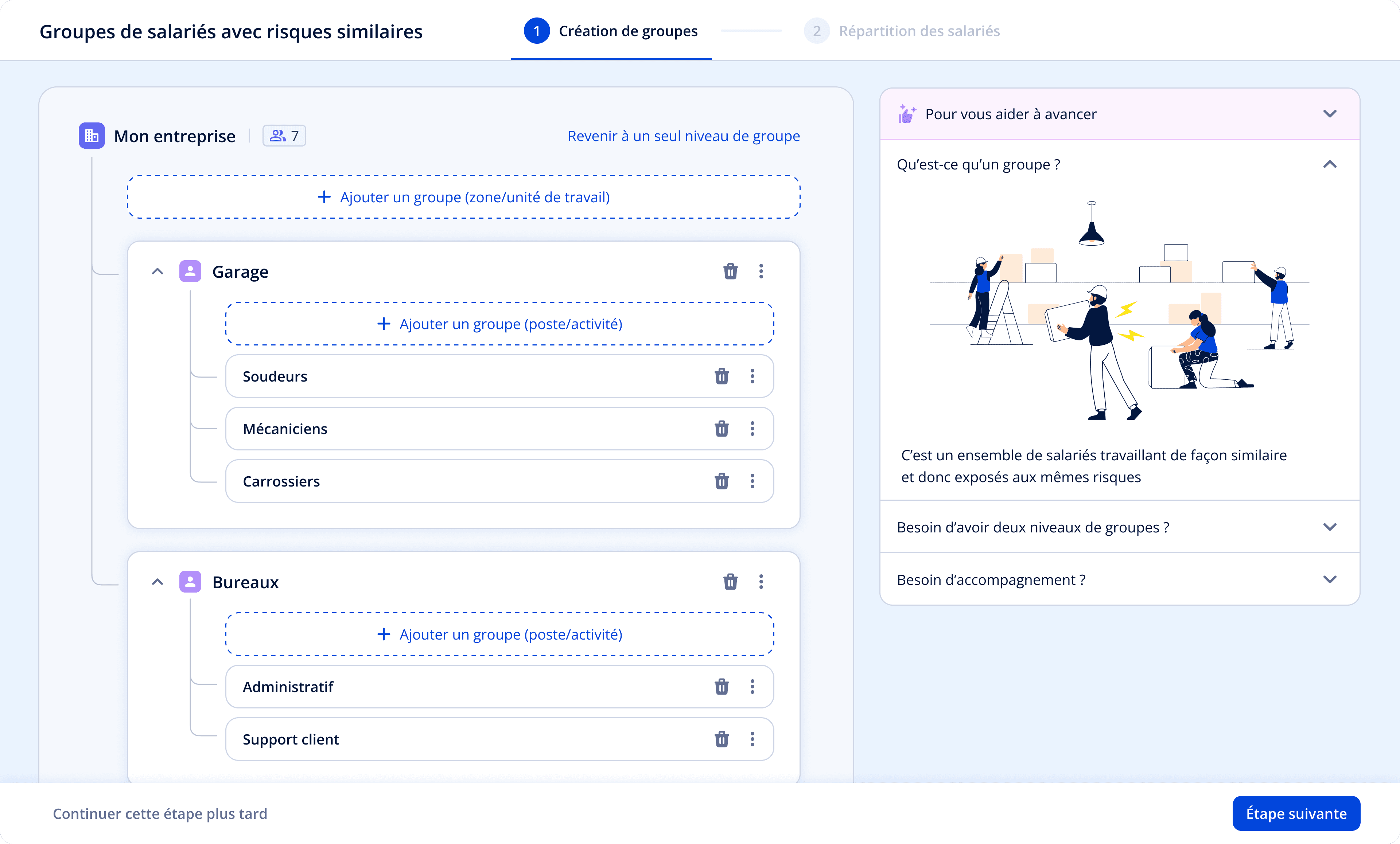
Goal : Let companies of any size organize employees into exposure groups, without needing to understand the underlying methodology.
the design challenge
Grouping logic varies wildly by company size : A 10-person garage thinks in job titles. A 200-person manufacturer thinks in departments and sub-activities.
Starting from a blank page felt unnecessary and time-consuming
Key Decisions
Allowed users to reuse existing company structures from other parts of the application
Designed a 2-level grouping system adaptable to company size
Introduced filters and bulk actions to simplify employee assignment
User Insights
4.3/5
Avg. NPS (6 users)
"Simple and fast — Much clearer and more usable than Seirich."
Iterations & Next Steps
Automatic deselection once employees are assigned (to avoid double-counting)
Stronger visual feedback on completion states
Automatically suggest only the groups exposed to chemical risk when importing
Step 2
Risk Evaluation
Goal: Let non-expert users evaluate chemical risks accurately while strictly following the scientific methodology.
the problem
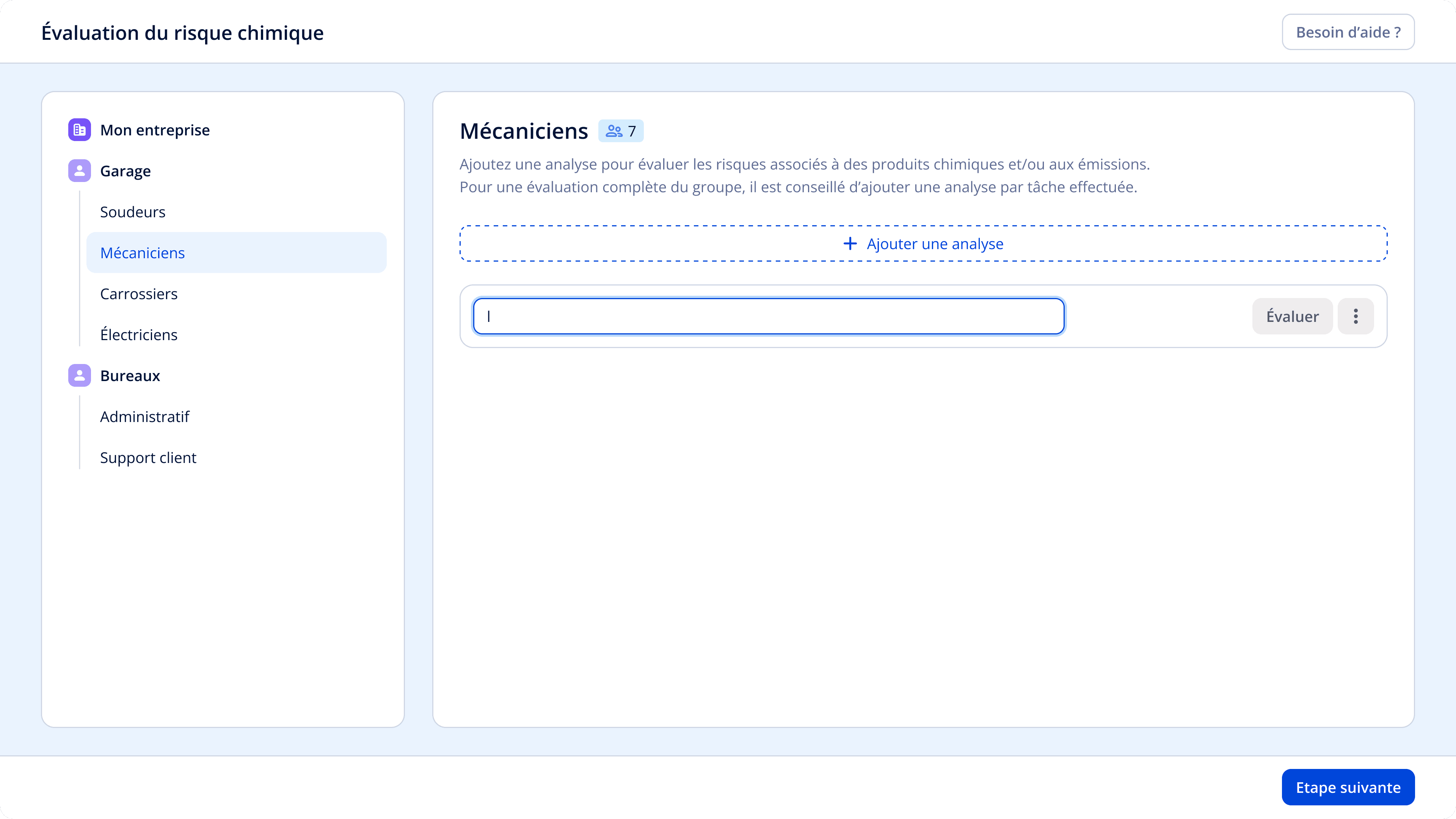
Beta testing showed users completely stalling at the task input field. They didn't know what to write, so they didn't write anything, and couldn't move forward.
BEFORE
key design decisions
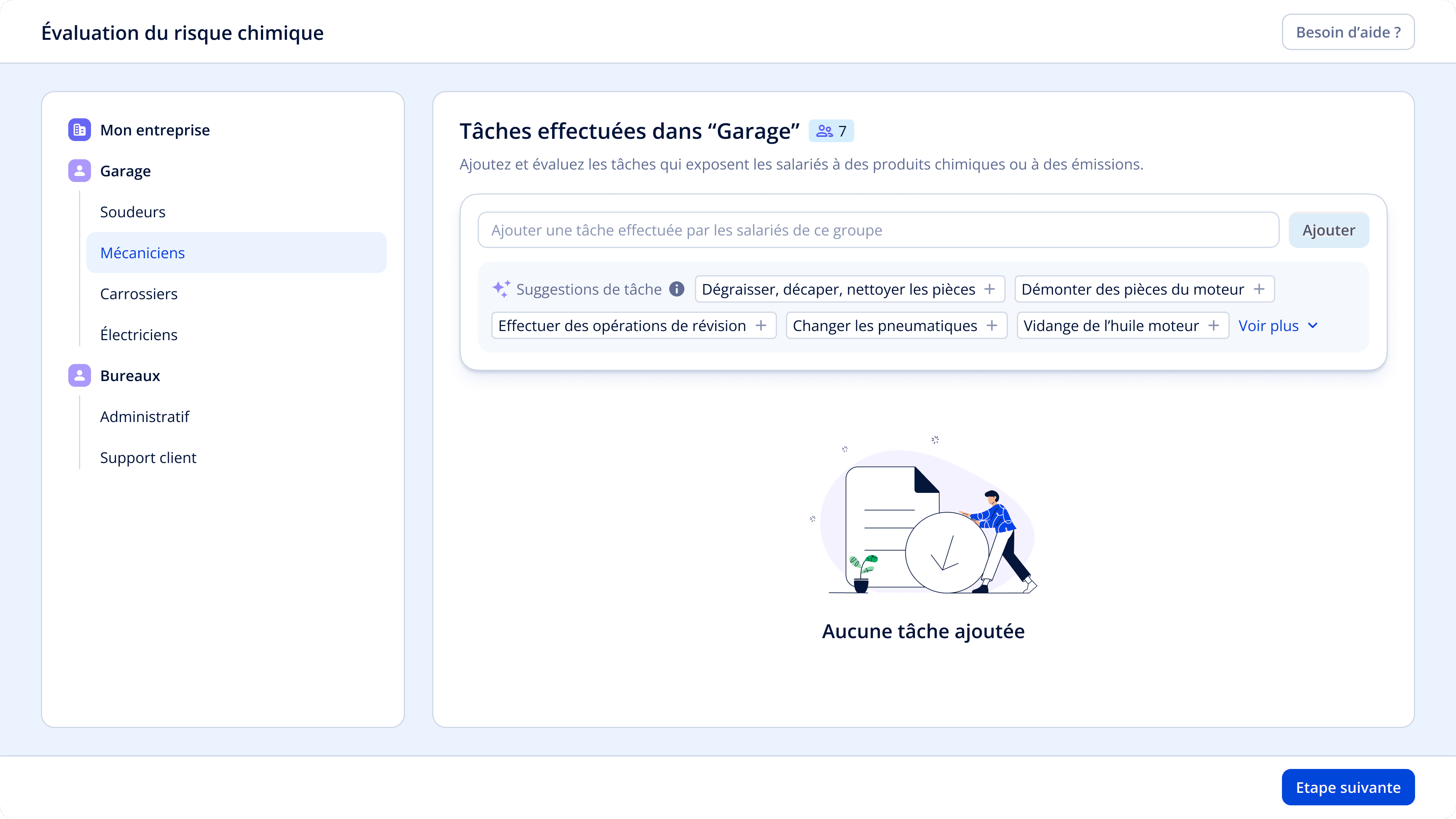
Job-specific content
Contextual suggestions based on
employee group role
One-click add
Quick addition with "+" button to reduce
friction
Visual distinction
Suggestions styled differently from
added tasks to prevent confusion
AFTER
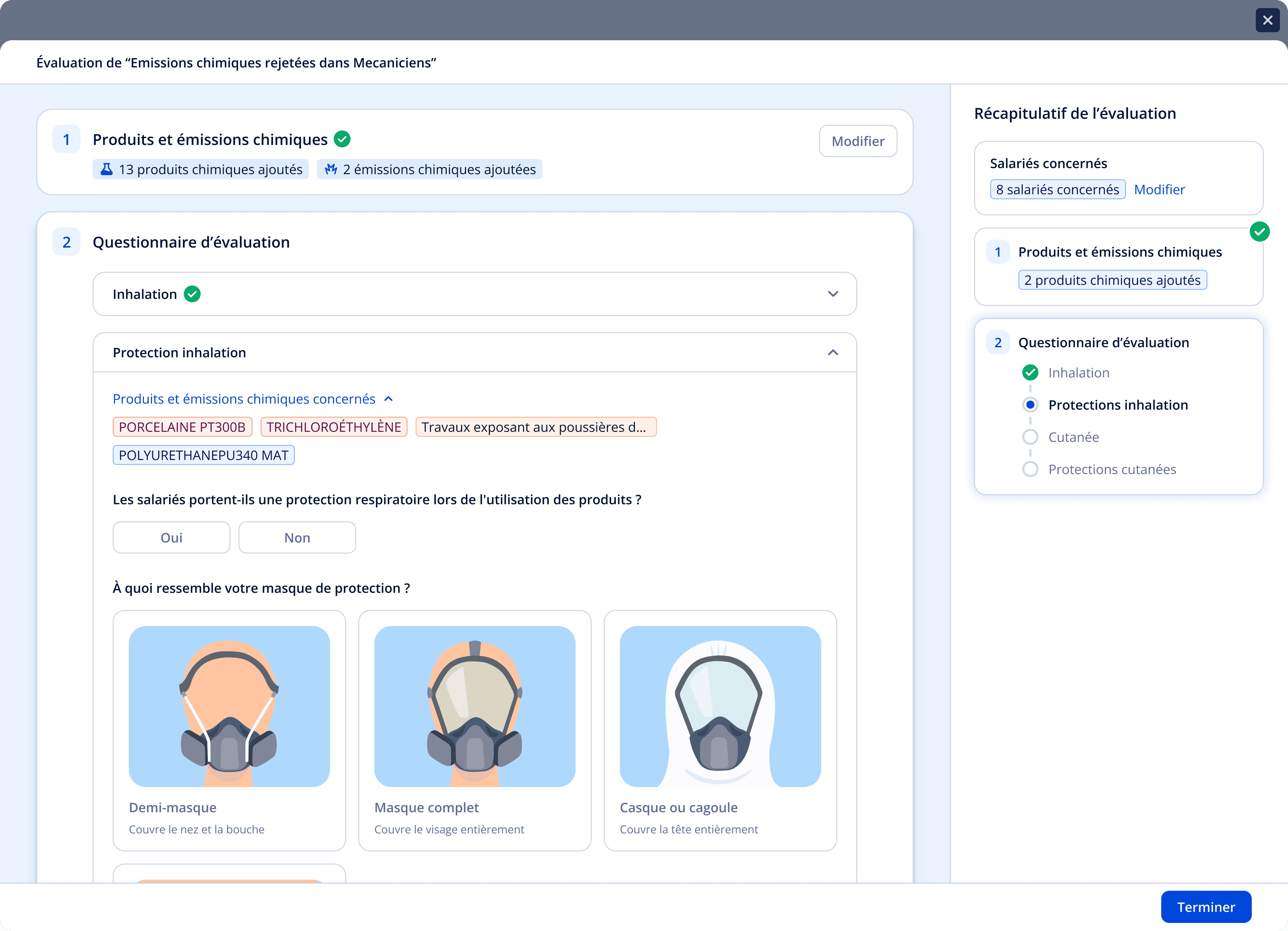
Decision 2: Progressive disclosure of the methodology
hypothesis
Scientific methodology is non-negotiable, but the experience of going through it can be redesigned.
key design decisions
Broke it into one section at a time, added a progress tracker, used contextual examples, and introduced visual choices.
users feedback
Very positive on clarity and digestibility. Visual design significantly reduced overwhelm.
Decision 3: From score to explanation
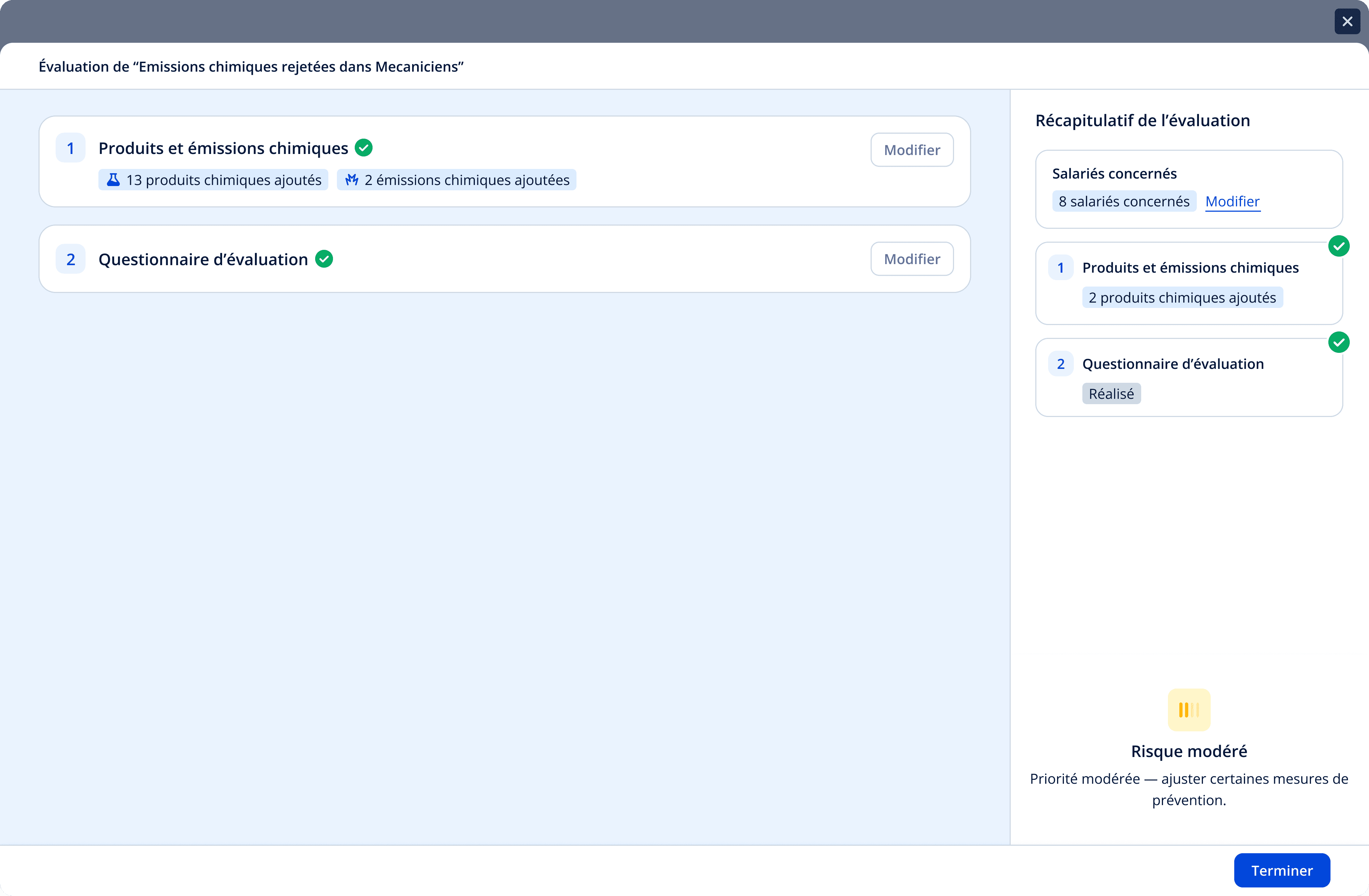
the problem
Early designs showed a risk score at the end of the questionnaire. Users had no idea what drove it or how to improve it. The score without context was useless, or worse, misleading.
BEFORE
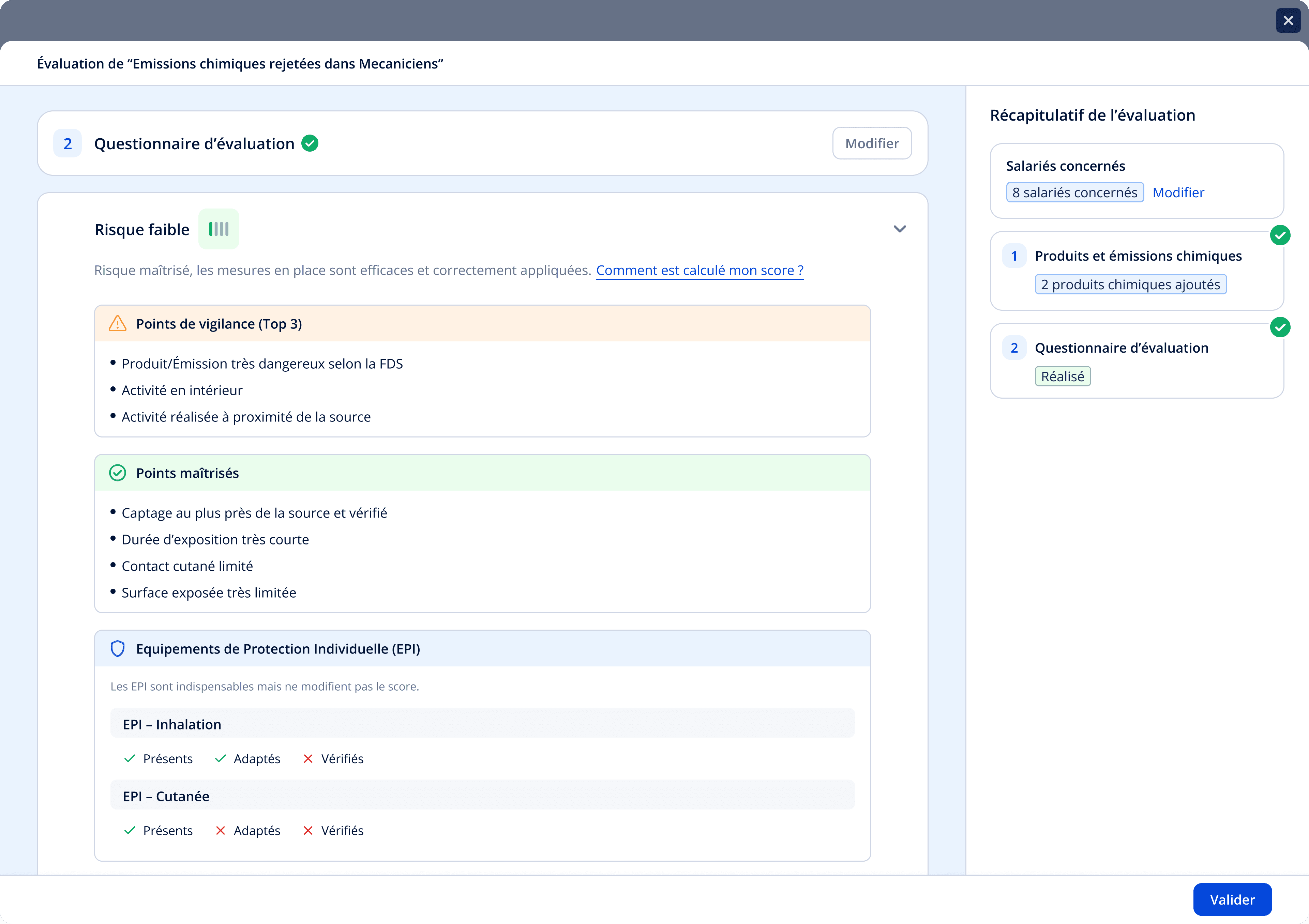
key design decisions
Top 3 drivers only
Show what's working
Equipment context
AFTER
Step 3
Action plan
Goal: Help companies focus on what actually matters : not a comprehensive document, but a small set of high-impact actions they'll realistically implement.
Initial Observations & Research
Many companies already had generic action plans, but nothing specific to chemical risks
Users expected clear guidance, not another document to fill
Health services strongly emphasized that execution matters more than exhaustiveness
Key Decisions
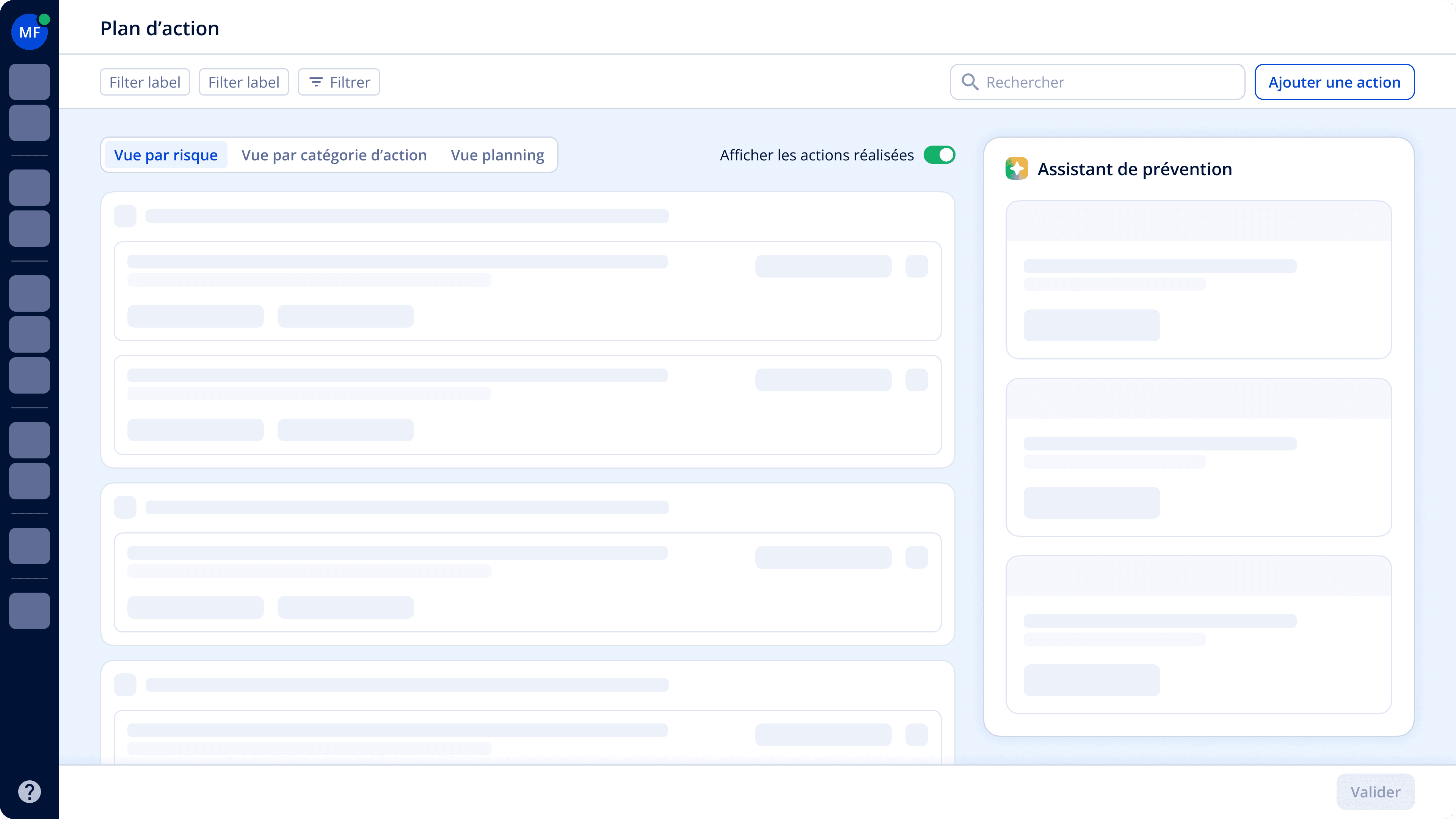
Designed a Prevention Assistant as the core of the experience
Automatically ranked risks by severity, displayed only top 3 most critical risks by default
Generated highly specific prevention actions based on questionnaire answers
Clearly displayed the expected impact of each action on the risk level
User Insights
3.7/5
Avg. NPS (6 users)
"I like seeing the impact of each action."
Iterations & Next Steps
Improved visibility of the prevention assistant
Focus on addressing users' need for interoperability with existing tools and action plans
Outcomes
Impact & Results
MVP Validated
By toxicologists and non-specialist users
~70% Reduction
FDS parser reduced manual input during inventory
1 confirmed adoption
1 Health service representing 4,000 companies confirmed adoption
Q1 2026 Launch
Final product ready for launch